Freedom to build your own IoT,
on your own hardware.
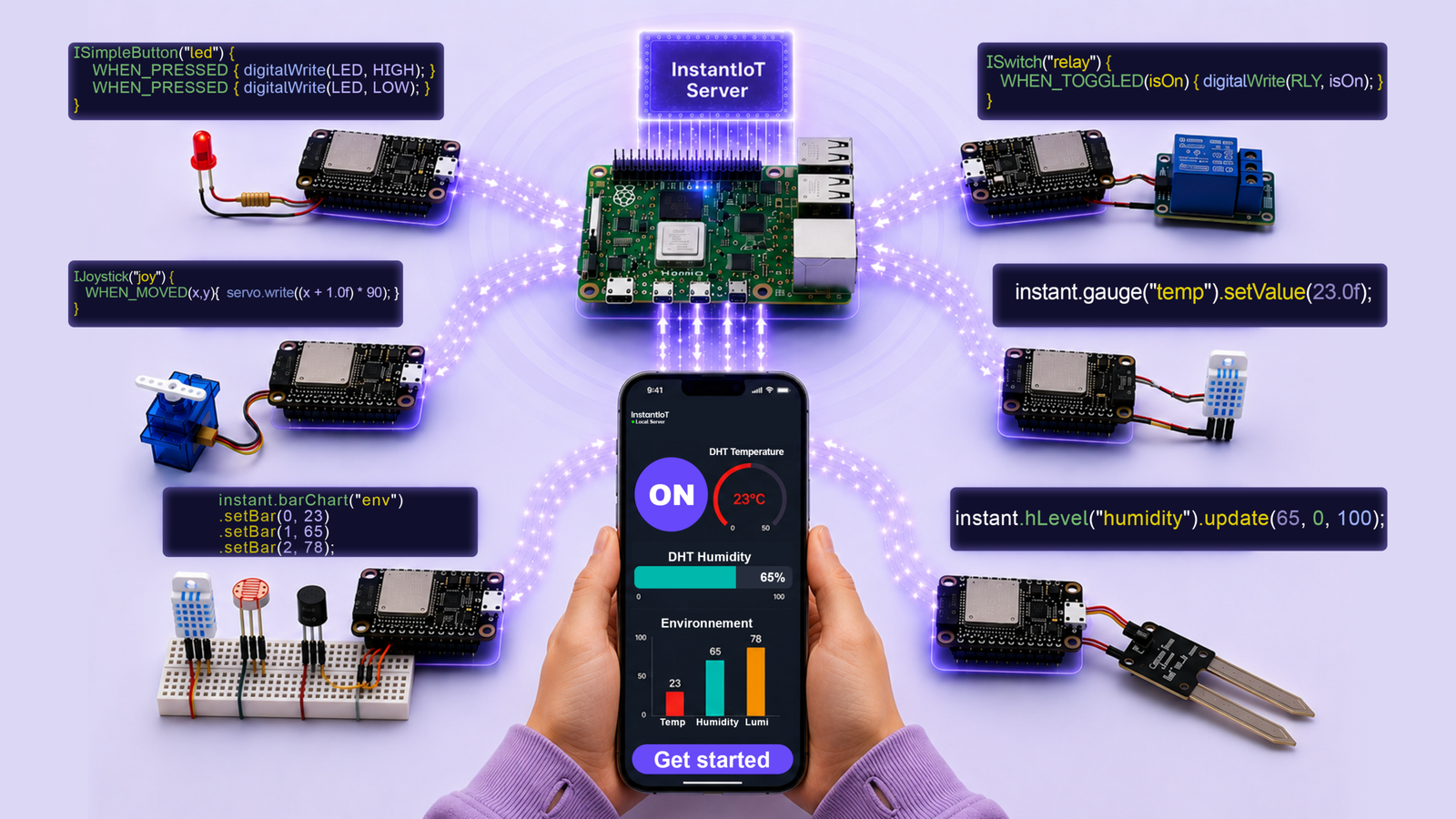
InstantIoT is a no-code IoT app to design dashboards, control your devices and monitor your sensors in real time — rich charts, history and multi-device support. Works with ESP32, ESP8266 and other Arduino-compatible boards.
Go from idea to a live IoT project in a single evening.
HOW IT WORKS
1. Design your interface
Build your dashboard visually with drag & drop widgets — and see your interface come to life instantly.
2. Get your code template
Instant IoT generates a clean Arduino/ESP32 template — ready to plug into your logic.
3. Upload & control
Upload to your board and control your device instantly via WiFi — no cloud required.
One app. Two ways to connect.
The app is where everything starts — you design your dashboard,
generate the matching Arduino code, and control your hardware live.
How it connects to your devices is up to you.
PICK YOUR MODE
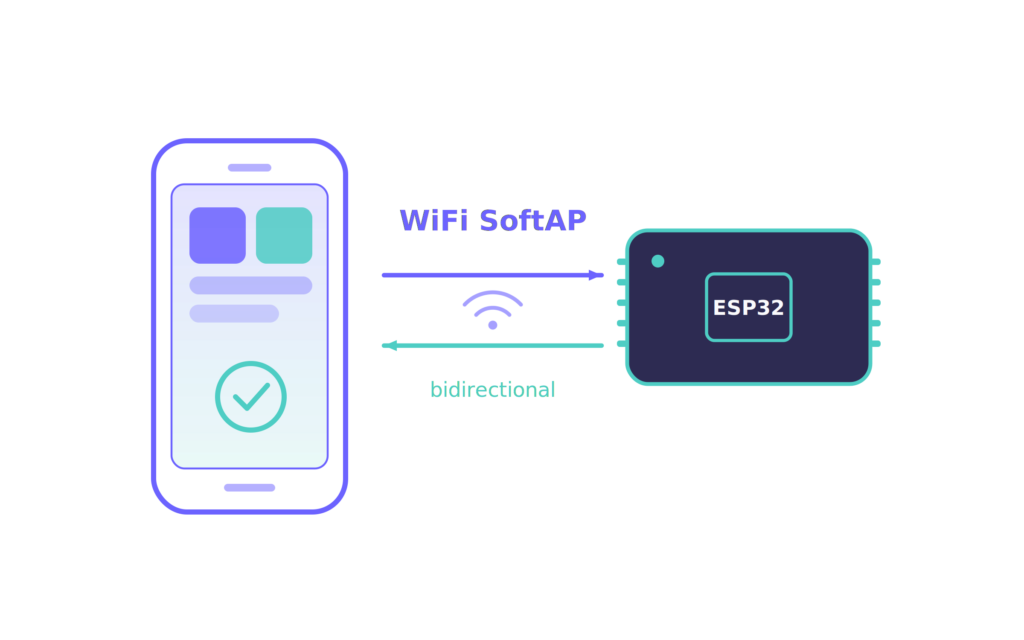
For interacting with one device.
Your phone joins your device directly
Your device broadcasts its own Wi-Fi and your phone joins it directly. Connect and control — that’s all you need. No account, no server, fully offline.
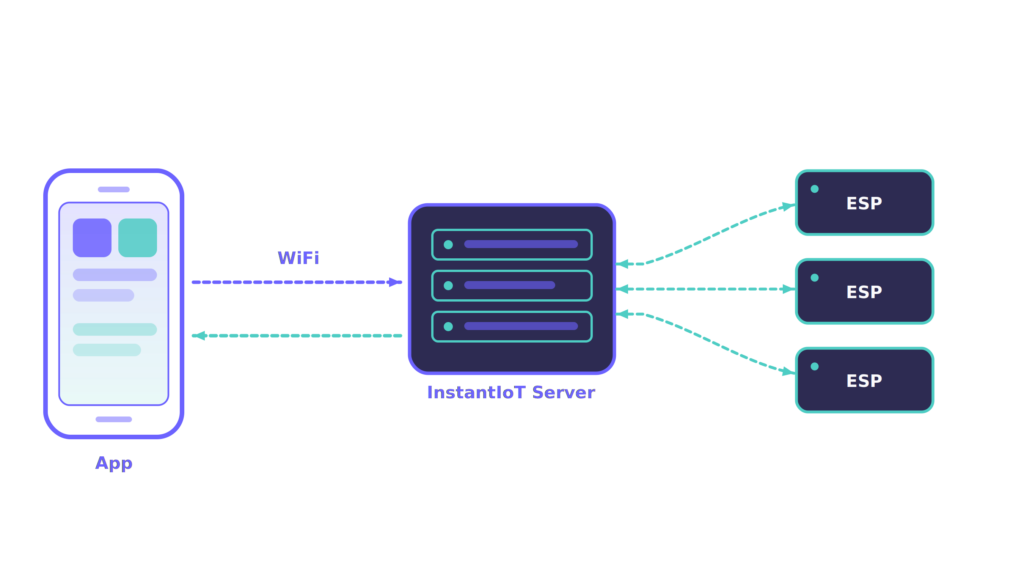
For running a system of devices.
Control every device from one dashboard
Run the open-source InstantIoT Server on a computer or a Raspberry Pi. Connect as many devices and phones as you need, and control them all from a single dashboard — your server, your data.
Use Rich Features to Build IoT Apps Quickly
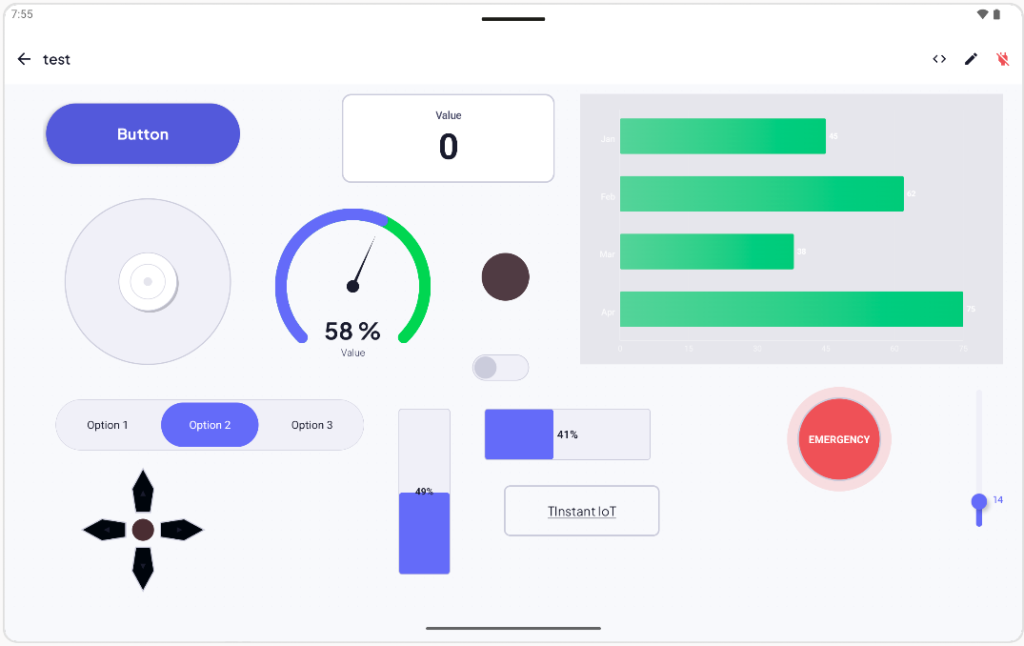
Custom UI styling, portrait and landscape layouts, multi-tab organization,
and multi-device control — everything a real IoT app needs, without writing UI code.
HOW YOUR APP AND ARDUINO EXCHANGE DATA
Your app, mirrored in your Arduino Sketch.
Every widget you drop in the app maps to one readable block in your sketch.
Declare it, react to it — no parsing, no boilerplate, no event handlers to wire up.
ISimpleButton("btn1") {WHEN_TOGGLED(isOn) {digitalWrite(LED_BUILTIN, isOn);}}
IHorizontalSlider("dim1") {WHEN_CHANGING(v) {analogWrite(LED_PIN, v);}}
IJoystick("joy1") {WHEN_MOVED(x, y) {drive(x, y);}}
instant.gauge("value").setValue(50.0f);
instant.barChart("env").setBar(0, 22);.setBar(1, 45);.setBar(2, 75);
instant.chart("c1").addPoint("temp", v);
ISimpleButton("btn1") {WHEN_TOGGLED(isOn) {digitalWrite(LED_BUILTIN, isOn);}}
IHorizontalSlider("dim1") {WHEN_CHANGING(v) {analogWrite(LED_PIN, v);}}
IJoystick("joy1") {WHEN_MOVED(x, y) {drive(x, y);}}
instant.gauge("value").setValue(50.0f);
instant.barChart("env").setBar(0, 22);.setBar(1, 45);.setBar(2, 75);
instant.chart("c1").addPoint("temp", v);
17 widgets. One consistent, readable pattern for all of them.
Explore all widgets in the docs

Your next IoT project starts here.
Let’s build with InstantIoT.
« Freedom to build your own IoT, on your own hardware. »